01
Describe
Full DACS Part I and Part II support, multilevel hierarchy with inheritance computed at read time, live Library of Congress authority lookups, and controlled vocabularies as real tables — not free-text fields you hope stay consistent.
In development
One system for describing a collection, publishing it, and building exhibitions from it. Full archival description underneath, modern editorial design on the surface, and nothing to administer.
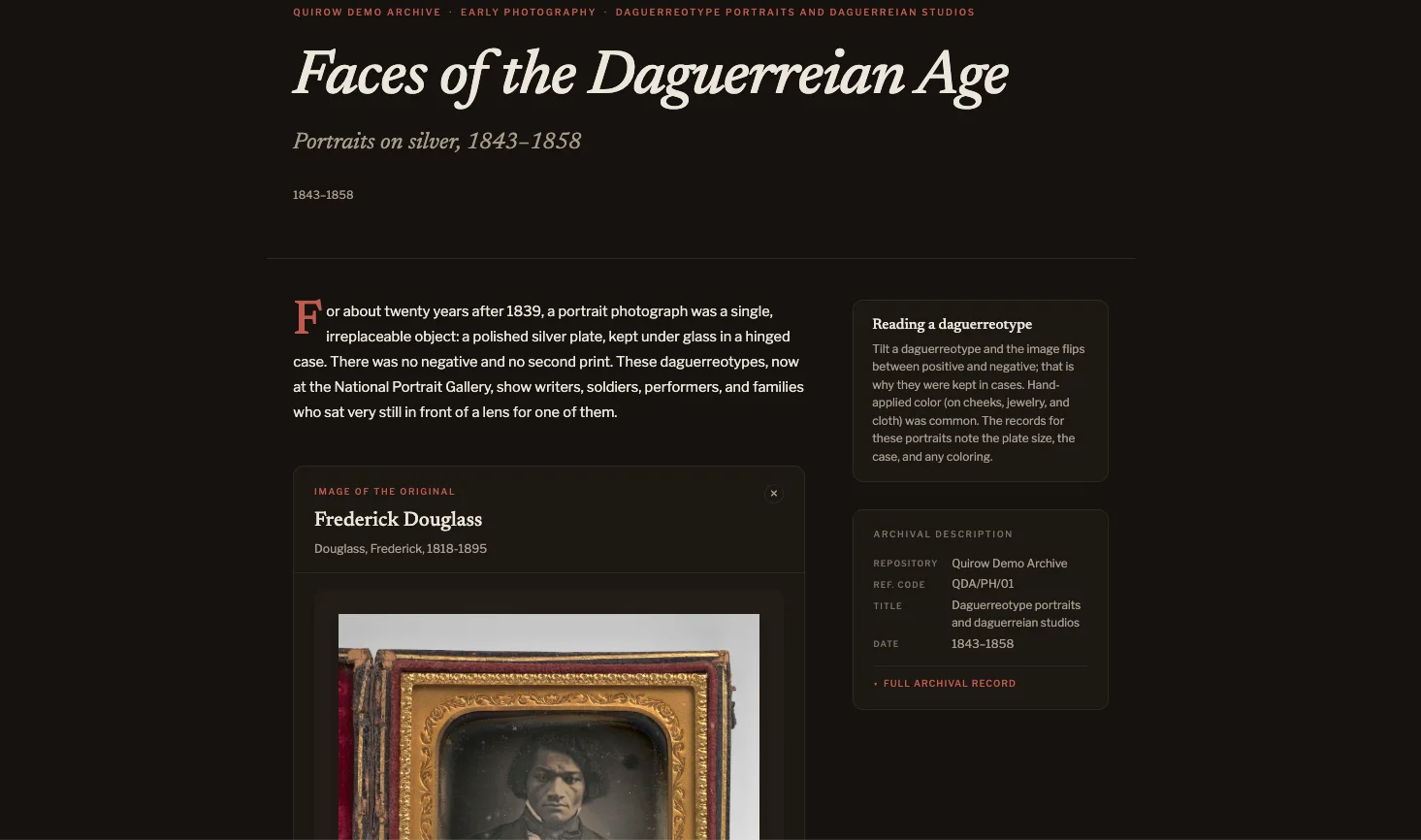
Speaks the standards archives already use
The gap
Purpose-built systems are genuinely capable and operationally punishing. They assume a server administrator, a migration plan, and weeks of setup. An institution with two staff and no dedicated IT has none of the three, so the collection stays in a spreadsheet and a folder of scans.
The other direction will give you something handsome in an afternoon, and nowhere to put a scope and content note, a conditions governing access statement, or an authority record. What you publish looks finished and describes nothing.
Quirow is the middle that should already exist — description rigorous enough for a professional, output good enough to put your name on.
What it does
Describe the material once. Everything else reads from that description.
Full DACS Part I and Part II support, multilevel hierarchy with inheritance computed at read time, live Library of Congress authority lookups, and controlled vocabularies as real tables — not free-text fields you hope stay consistent.
A drag-and-drop builder over your own descriptions. Compose a landing page and an about page, set your logo and navigation, and put the whole site live at your institution’s own address.
Build narrative exhibitions from the records you have already described. Editorial framing lives on the page, so telling a story about a collection never edits the collection.
A faceted research view so scholars can browse the collection at every level — the job a finding aid exists to do, and the one exhibit tools routinely forget.
In practice
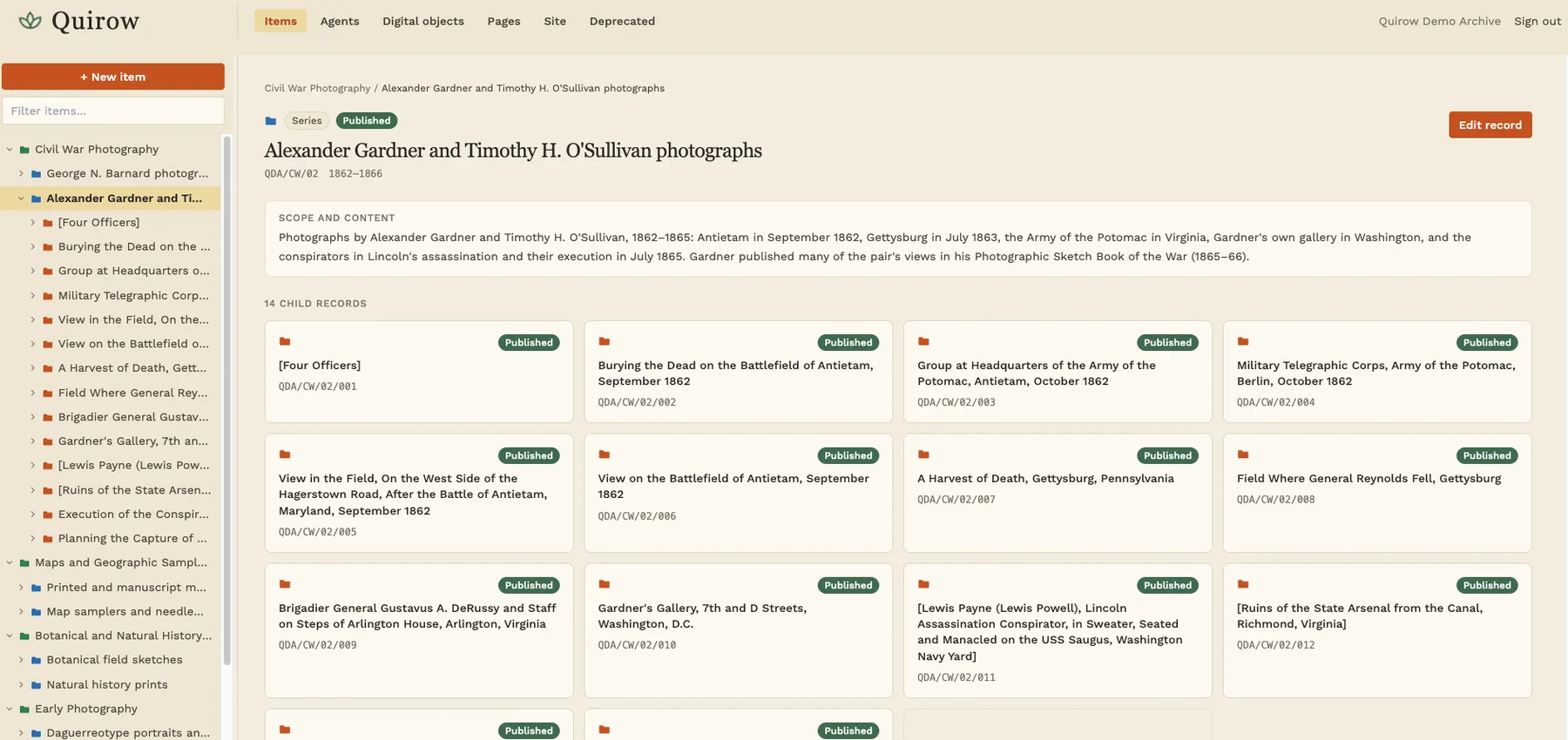
A collection’s full structure sits in one tree, each level marked by its own colour, every child reachable from its parent. Digital objects appear at whatever level they are attached to rather than hiding three clicks down.
Record status is visible everywhere, so you always know what is draft and what is live.
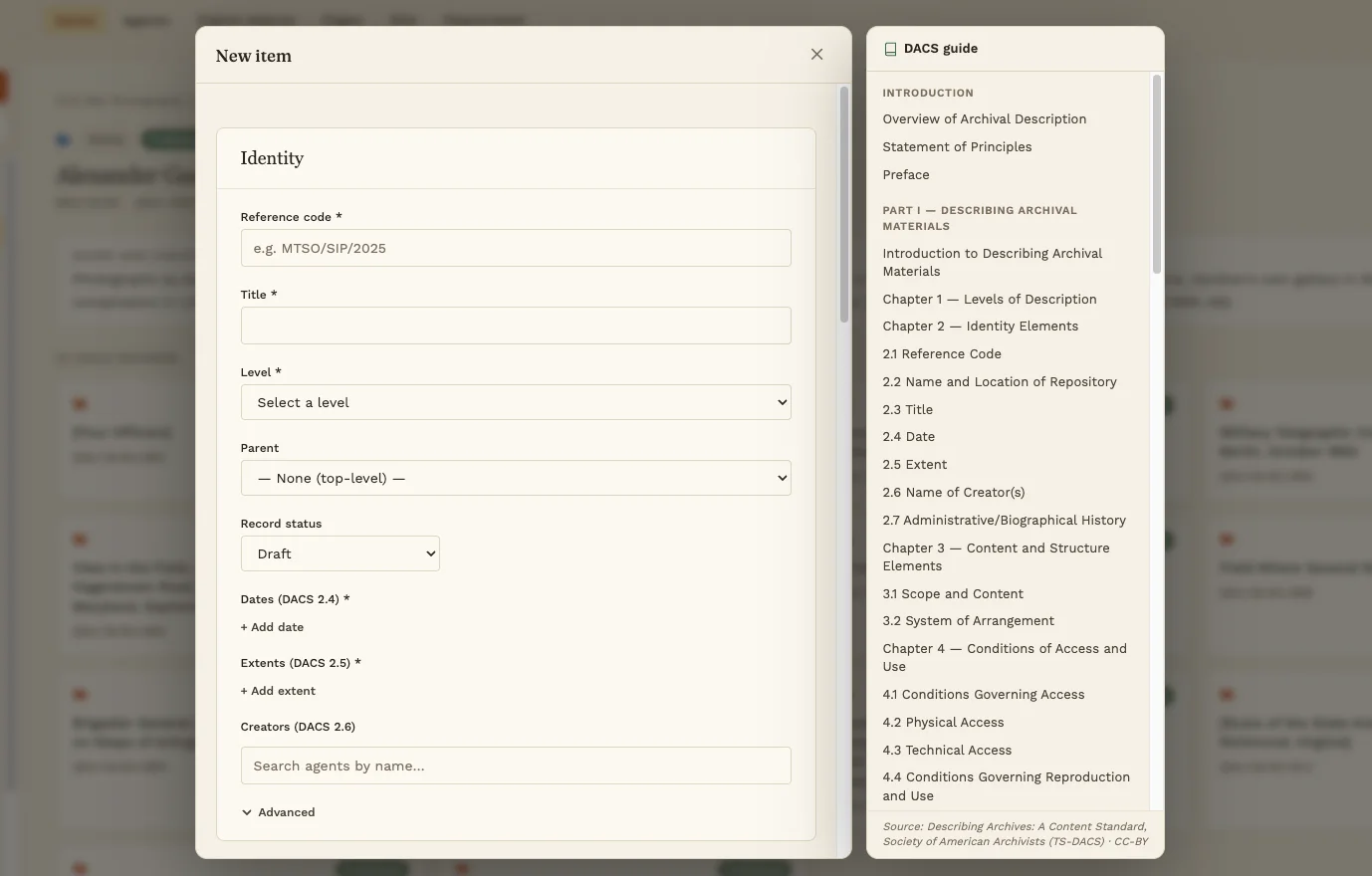
DACS is long, and nobody has memorised it. Its full text sits in a panel next to the record you are describing, so checking what an element actually requires never means leaving the form.
Required elements are marked as you go, and publishing is gated on them — a record cannot go public missing something the standard requires.
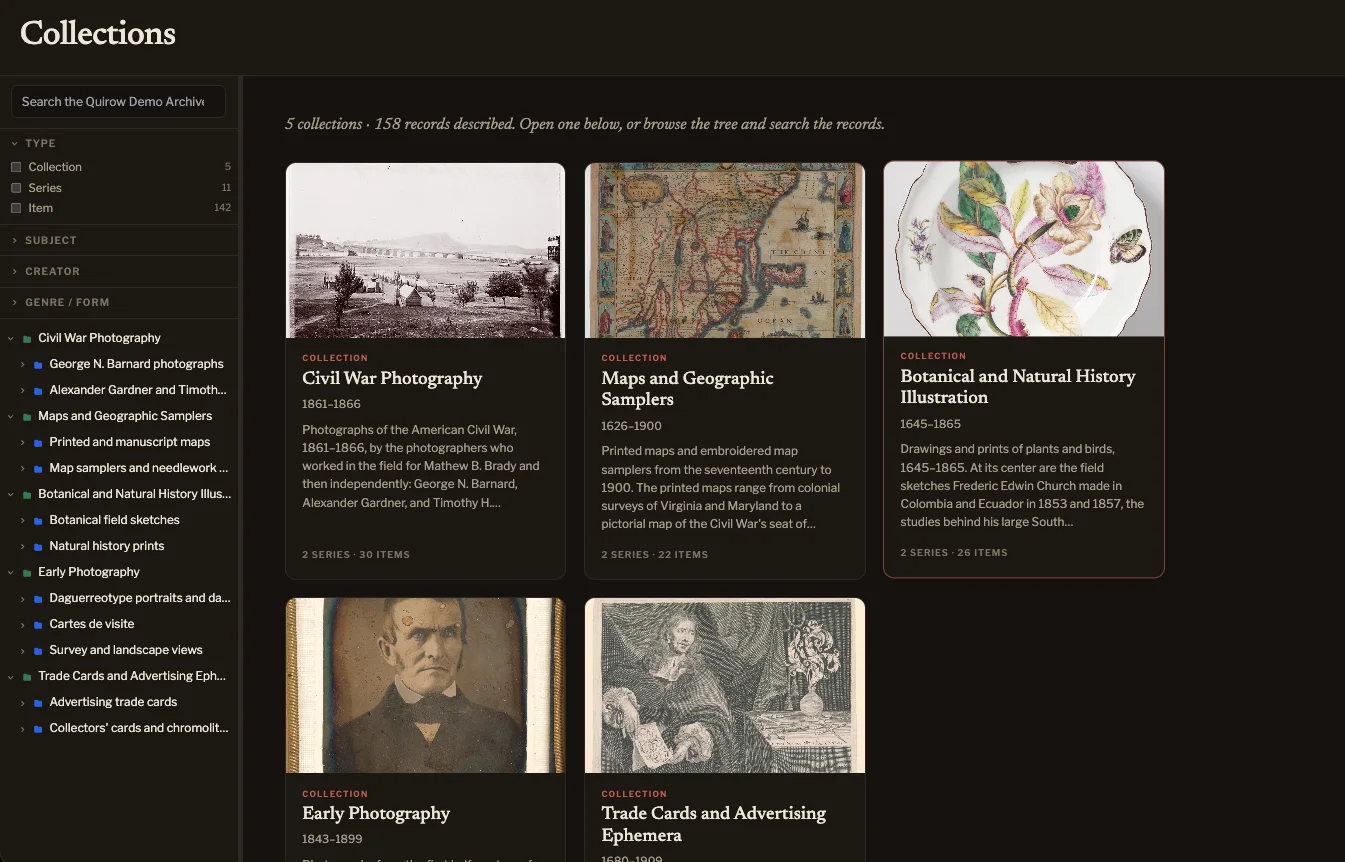
A curated page tells one story. The research view lets a visitor go past it — facets for type, subject, creator and genre, the collection tree alongside, and the full archival description on every record.
It is the surface scholars actually need, and the one exhibit tools routinely leave out.
Under it
The parts that are painful to retrofit are the parts that were settled first.
See it working
The demo archive holds five collections of real objects from museum open-access programs, described to DACS and published with three exhibitions. Look at it from either side.
The public site
The archive’s own website: exhibitions, the collections, and the full archival description behind every object. No account needed.
The admin
One click opens a private copy of the archive that only you can see. Describe a record, build an exhibit, publish it, and preview it as the public would. It disappears after 24 hours.
Quirow is in development and not yet generally available. If you look after a collection this would suit, or you simply want to follow where it goes, the inbox is open.